Image to PDF - PDF Maker PC
DLM Infosoft
قم بتنزيل Image to PDF - PDF Maker على جهاز الكمبيوتر باستخدام GameLoop Emulator
Image to PDF - PDF Maker على الكمبيوتر الشخصي
Image to PDF - PDF Maker ، القادم من المطور DLM Infosoft ، يعمل على نظام Android في الماضي.
الآن ، يمكنك لعب Image to PDF - PDF Maker على جهاز الكمبيوتر باستخدام GameLoop بسلاسة.
قم بتنزيله في مكتبة GameLoop أو في نتائج البحث. لا مزيد من الانتباه إلى البطارية أو المكالمات المحبطة في الوقت الخطأ بعد الآن.
ما عليك سوى الاستمتاع بجهاز Image to PDF - PDF Maker على الشاشة الكبيرة مجانًا!
Image to PDF - PDF Maker مقدمة
About Image to PDF Converter/JPG to PDF Converter:
App to convert images to PDF. No watermarks. Create password protected PDF
Steps to use:
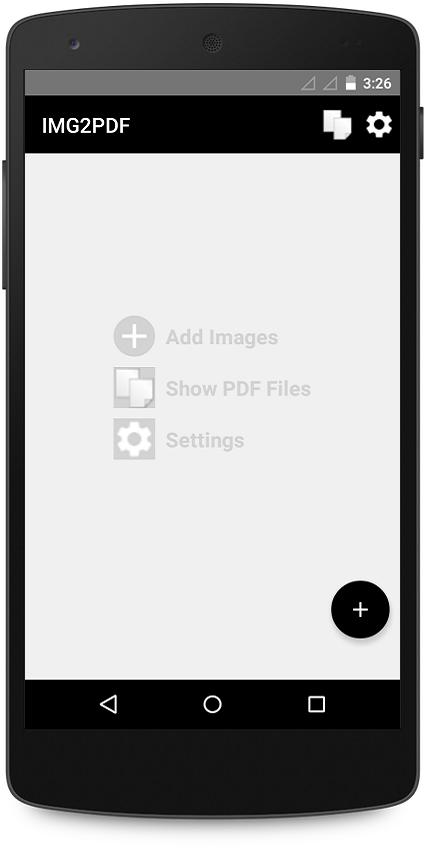
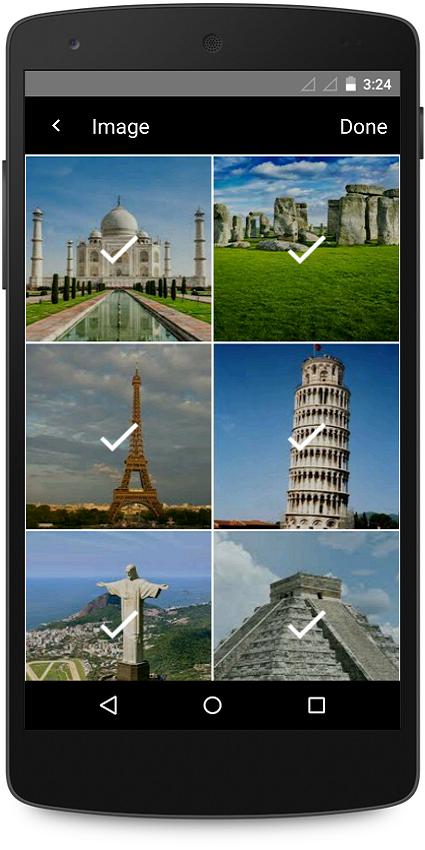
1. Select image/images from gallery with + icon. Camera option is also available to take new pictures, select them and convert to PDF.
2. Deselect unwanted images by long pressing on it.
3. Convert to Pdf.
4. View list of all created PDF.
5. Open the PDF with any PDF viewer/editor.
6. Share, rename or delete the pdf in the list.
Highlight features:
• Create PDF from gallery images or directly take new pictures from camera and convert them to PDF
• Create password protected PDF. Password protected PDF is well encrypted and no one can open the file without knowing the password
• Supports rotating and cropping of images. After images selection, image preview is available on single tap on image. All selected images can be previewed by swiping left to right. Rotate and crop can be done on any individual image based on requirement.
• Supports reordering of images. If more than one image will be selected, reorder icon will be available. Reorder can be done by drag and drop of images. There are also various types of sorting available on images including numeric, string, date and by size.
• Supports compression of images. By default, no compression mode is selected so quality and size of resulted PDF will be exactly same as selected images. Choose Low, Medium or High compression to reduce PDF size. Low compression will reduce PDF size by maintaining image quality so it is highly recommended to select for compression. High compression will reduce PDF size to maximum extent however, it is advisable to only select high compression when you have selected high resolution images.
• The simplest layout for smooth and elegant user experience
• All features are free and there is no conversation limitation to create PDFs.
• No watermark in PDF so it can be used for business purpose as well.
With I2P - Image to PDF Converter application by DLM Infosoft, your privacy is well protected.
This app uses the Device Camera and Storage permission. It is for users to take pictures and select pictures from gallery. We will NEVER make any change to your device or original images.
------------- FAQ --------------
Are my images processed online?
No. Your images are only processed offline.
What can I do if I forgot my password given when I created PDF?
To respect your privacy, we never store any information with us. So please remember your password and keep a note that there is no way with us to get password for your password protected PDF.
Are my PDF files stored online?
No. Your files are stored only on your device, so please make sure to backup all your files before transferring to a new device or factory reset. Sometimes, files are accidentally deleted by manual mistake or by some cleaning apps so it is always advisable to take backup of all files.
Is there any limit of pdf file conversions?
No. You can create any number of pdf files.
Is there any watermark on created PDF?
No.
معاينة
العلامات
إنتاجيةمعلومة
مطور
DLM Infosoft
احدث اصدار
5.3
آخر تحديث
2024-12-08
فئة
إنتاجية
متاح على
Google Play
أظهر المزيد
كيف تلعب Image to PDF - PDF Maker مع GameLoop على جهاز الكمبيوتر
1. قم بتنزيل GameLoop من الموقع الرسمي ، ثم قم بتشغيل ملف exe لتثبيت GameLoop.
2. افتح GameLoop وابحث عن "Image to PDF - PDF Maker" ، وابحث عن Image to PDF - PDF Maker في نتائج البحث وانقر على "تثبيت".
3. استمتع بلعب Image to PDF - PDF Maker على GameLoop.
Minimum requirements
OS
Windows 8.1 64-bit or Windows 10 64-bit
GPU
GTX 1050
CPU
i3-8300
Memory
8GB RAM
Storage
1GB available space
Recommended requirements
OS
Windows 8.1 64-bit or Windows 10 64-bit
GPU
GTX 1050
CPU
i3-9320
Memory
16GB RAM
Storage
1GB available space